Enabling Guest Mode (Admin)
Enabling the guest mode is a required prerequisite to use this feature. You need to have admin credentials to access this option.1
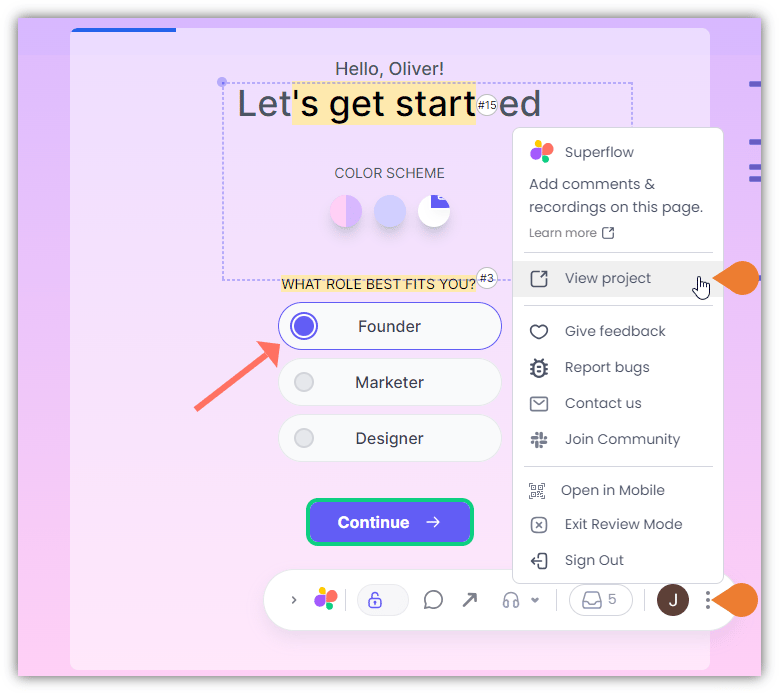
Find the Superflow Toolbar and click the More Options icon
2
A sub-menu will expand, click the View Project option to select
3
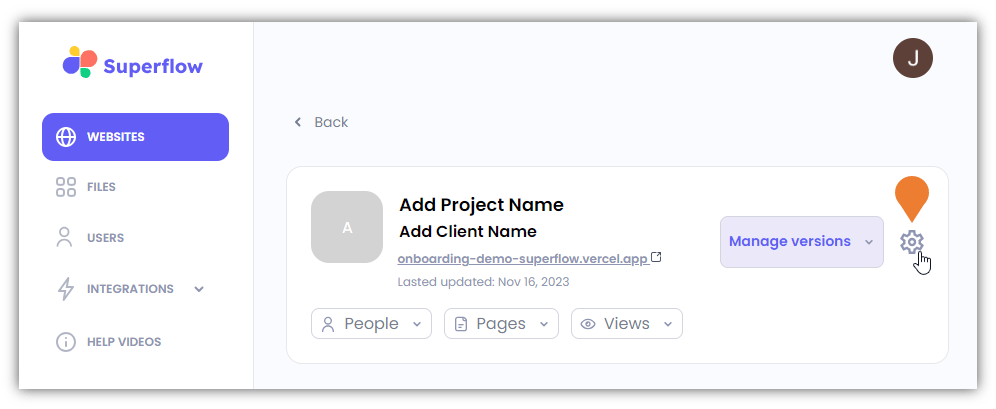
You will be directed to the Project Dashboard page, find and click the Settings icon
4
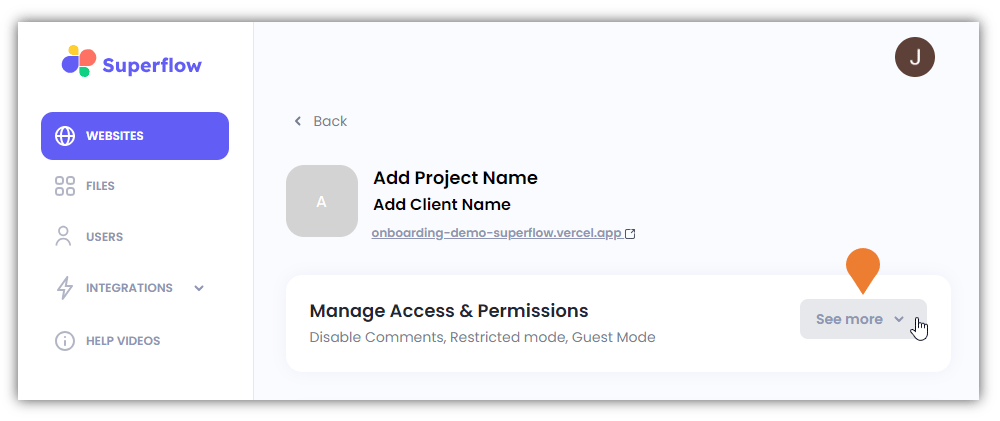
Find the Manage Access & Permissions section and click the See More drop-down arrow
5
The Manage Access & Permissions section will expand…
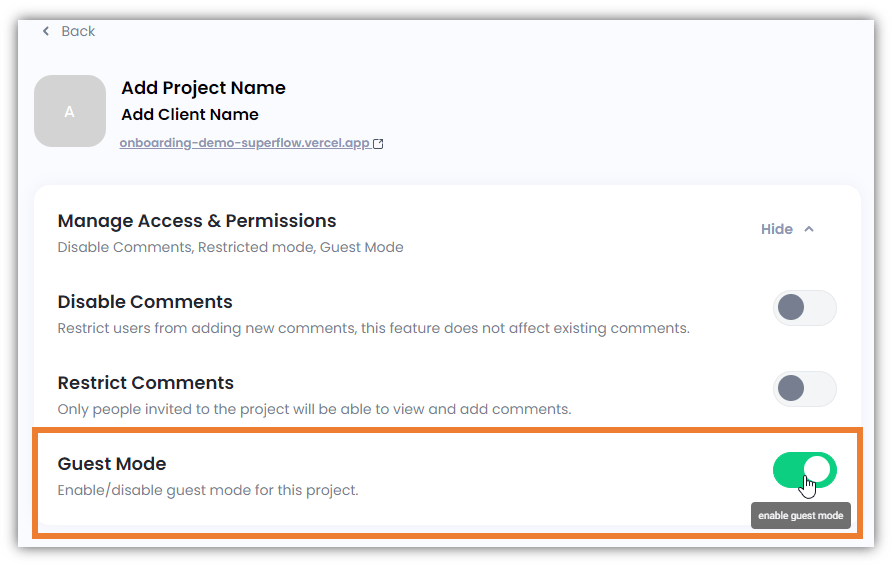
The Manage Access & Permissions section will expand, go to the Guest Mode option and ensure that it is turned on by toggling it to Enable Guest Mode.