

1
Go to Settings, then Custom Branding
On the Superflow Dashboard, click Settings in the left sidebar and open the Custom Branding tab.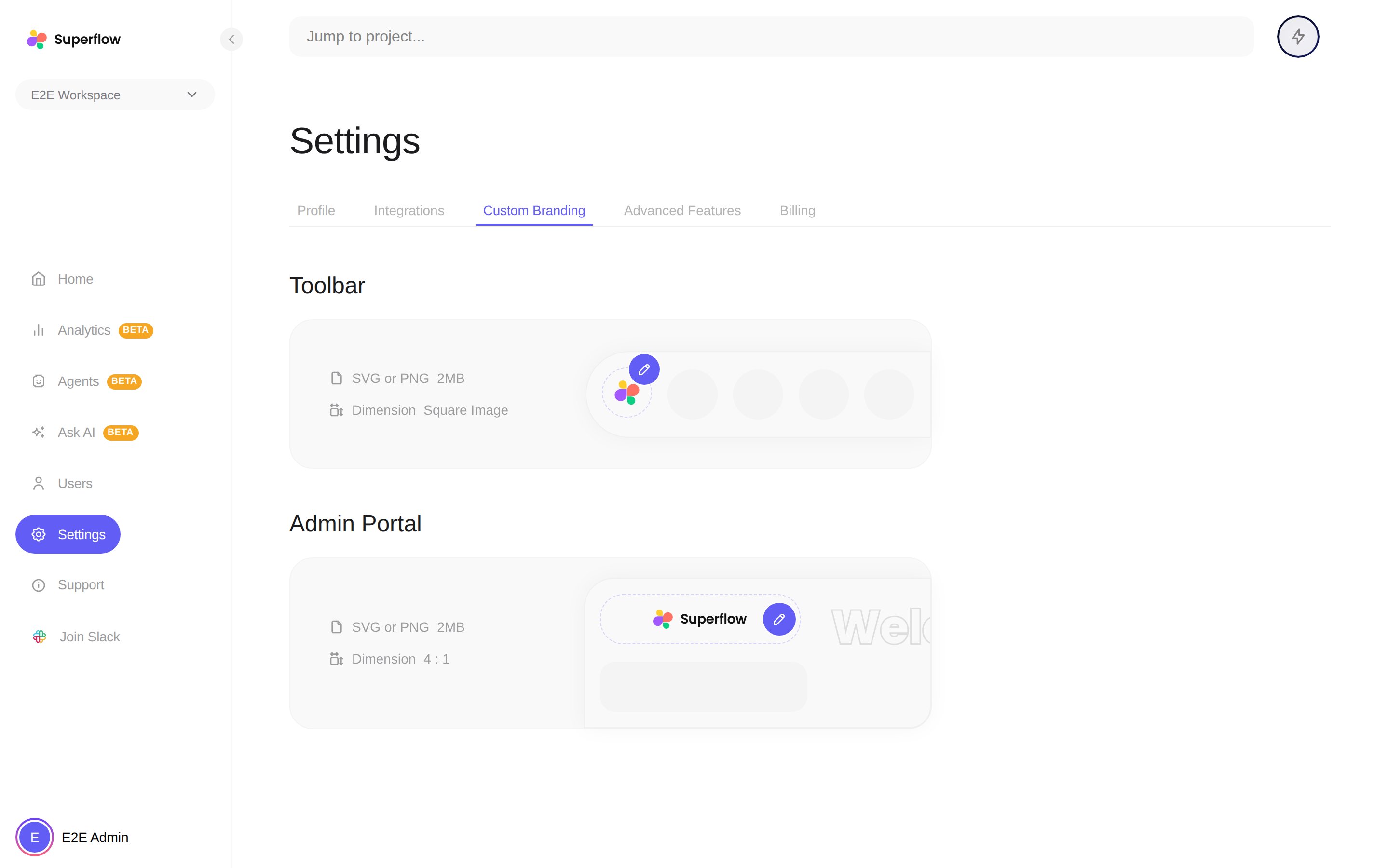
2
Upload your Toolbar logo
Click the edit button on the Toolbar preview and pick a square logomark, SVG or PNG, up to 2MB. It replaces the Superflow mark on the toolbar your reviewers see.
3
Upload your Admin Portal logo
Click the edit button on the Admin Portal preview and pick a wide 4:1 wordmark, SVG or PNG, up to 2MB. It replaces the Superflow logo in the dashboard sidebar.
Custom branding is available on paid plans. If the tab shows an upgrade prompt, your current plan does not include it. See which parts of the site can be custom branded.