1
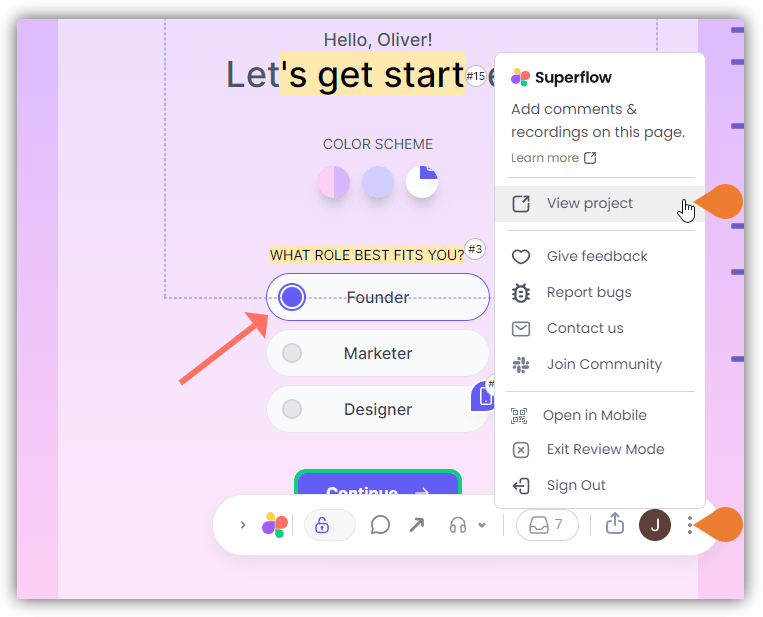
Find the Superflow Toolbar and click the More Options icon
2
A sub-menu will expand, click the View Project option to select
3
A new tab will direct you to the Project Dashboard page
By default, you will be directed to the Dashboard for Comment Status screen when accessing the Project Dashboard.
4
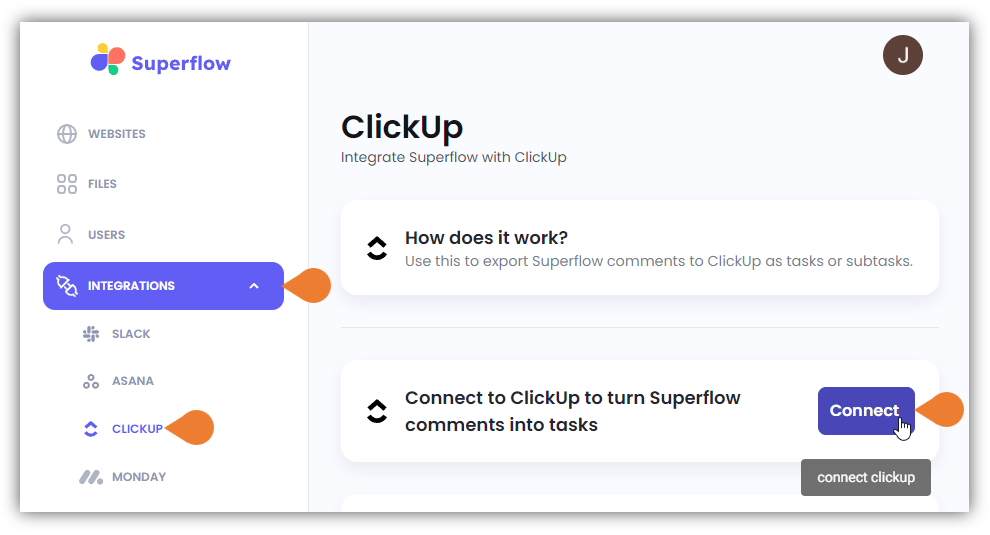
Click the INTEGRATIONS module to access more integration options
5
Select CLICKUP to access ClickUp’s integration page and click Connect to start the integration
6
For this example, we will use a Gmail account
Click the Sign in with Google button.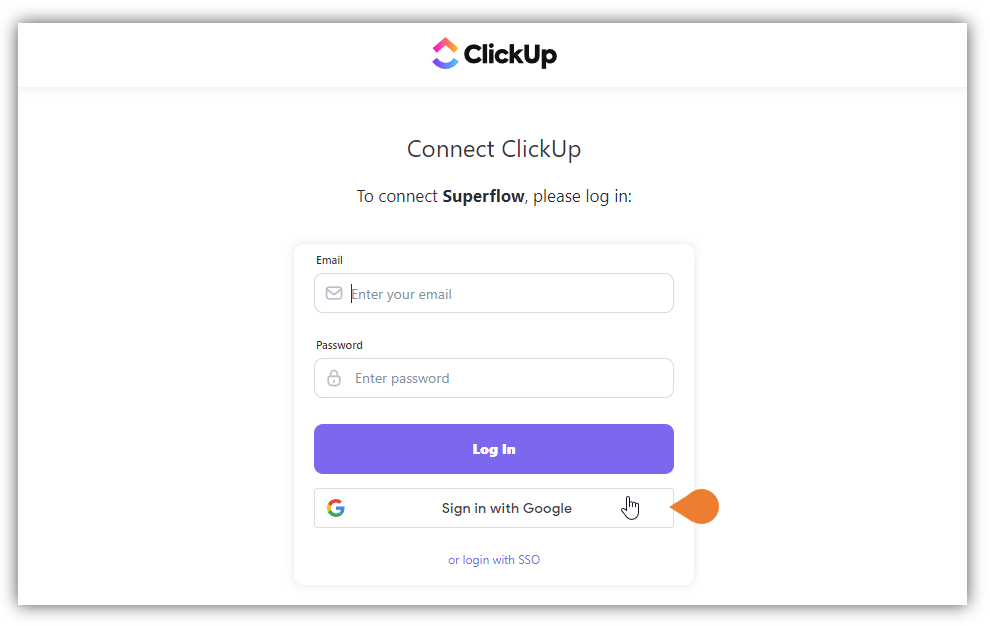
If you are using non-Google email, use the Email and Password fields to continue
7
You will be directed to the Sign in with Google page…
You will be directed to the Sign in with Google page, find and select the email that you want to use.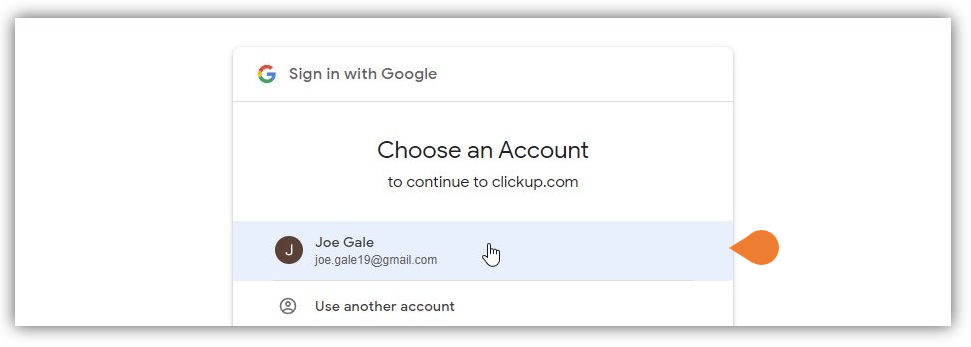
8
You will be directed to the Confirmation page…
You will be directed to the Confirmation page, click Confirm to allow Superflow to access your ClickUp account.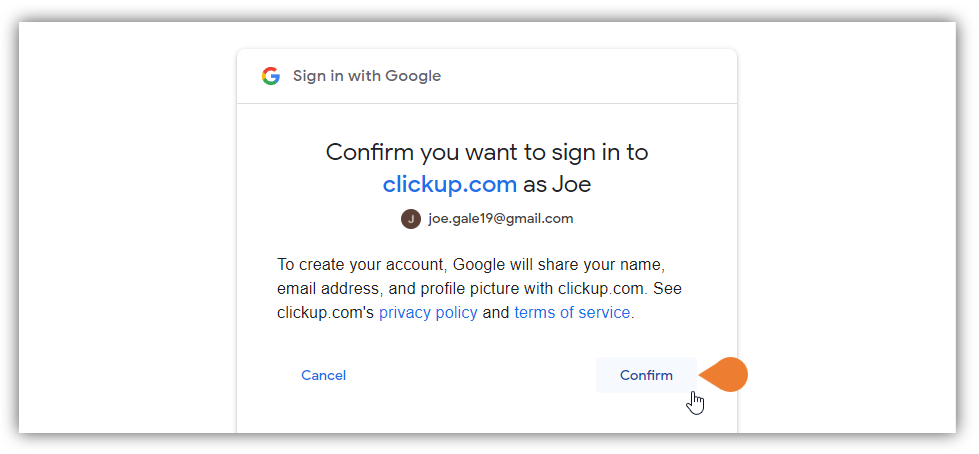
9
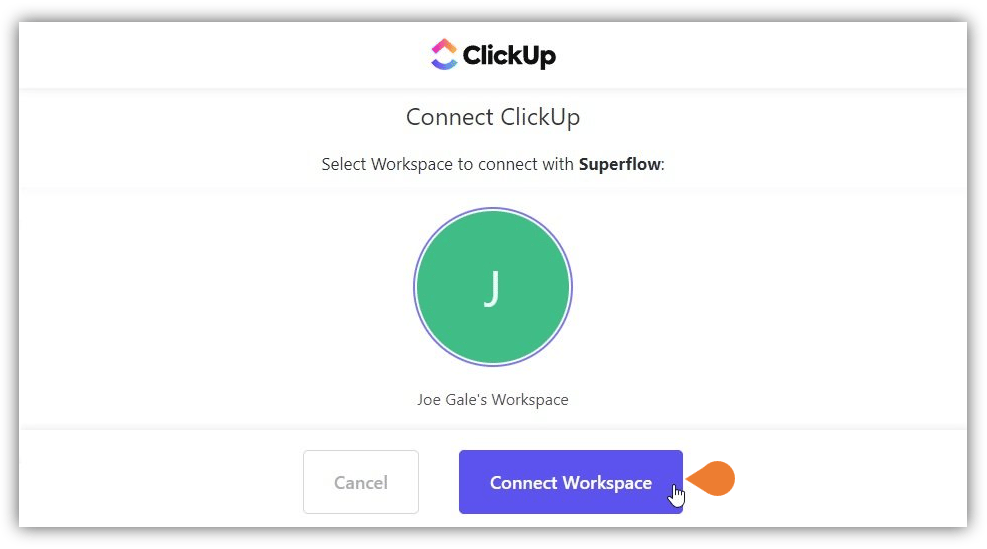
You will be directed to the Connect ClickUp page…
You will be directed to the Connect ClickUp page, click the Connect Workspace button to complete the integration.