When a project wraps, you have two options: archive it to keep every comment and setting while getting it out of your way, or delete it permanently.

Archiving

1

On the Home page, find the project and open its three-dot menu

Click Archive Project. The project disappears from the default view but keeps all of its comments, settings and history.
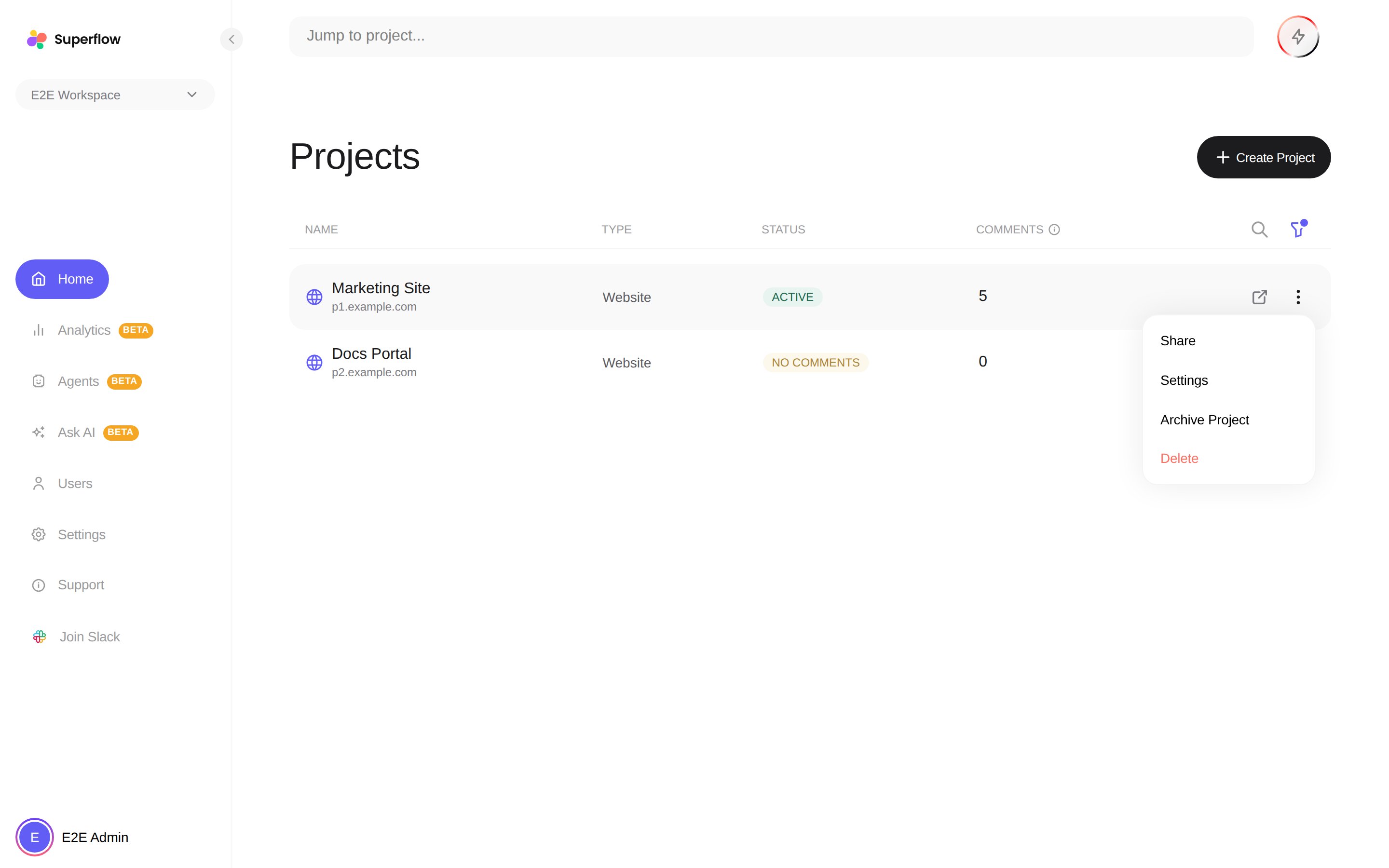
A project row's three-dot menu open, showing Share, Settings, Archive Project and Delete
2

To see archived projects, use the filter button

Archived projects are hidden by default. Open the filter next to the search box and include archived projects to see them again.
3

To bring one back, choose Unarchive Project

The project returns to your active list exactly as it was.
Archived projects do not count as active projects for billing. See What is an Active Project.

Deleting

Deleting is permanent. From the same three-dot menu, click Delete and confirm. The project, its comments, and its review link are removed for good. If you only want a clean slate on a live project, you can instead use Delete All Comments in the project’s settings Danger Zone, which clears the feedback but keeps the project and its install. See How to Access Project Settings.