

1
Ensure that the Review Mode is enabled and the Superflow Toolbar is active
2
Highlight the text that you want to use the AI Co-Pilot on

3
An AI Toolbar will appear, click Rewrite
4
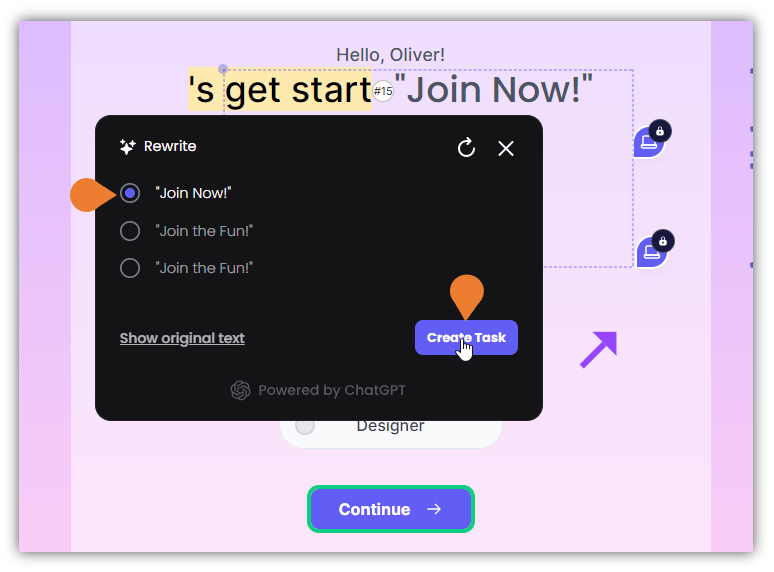
The Rewrite dialog box will appear with AI-generated suggestions
To generate more suggestions, click the Refresh icon.
5
To select a rewritten text, click its Radio Button
6
After selecting the preferred rewritten text, click the Create Task button