> ## Documentation Index
> Fetch the complete documentation index at: https://superflow-claude-superflow-portal-docs-78gpp8.mintlify.site/llms.txt
> Use this file to discover all available pages before exploring further.

# Vue

> Install Superflow on Vue, with a video walkthrough and step-by-step screenshots.

<Frame caption="Watch the full Vue walkthrough">
  <iframe className="w-full aspect-video rounded-xl" src="https://www.youtube.com/embed/YSftYr7yZDk?si=UqLsVwP_XEbDQ5l_" title="Install Superflow on Vue" frameBorder="0" allow="accelerometer; autoplay; clipboard-write; encrypted-media; gyroscope; picture-in-picture; web-share" allowFullScreen />
</Frame>

<Tip>
  Prefer to read? Every step in the video is written out below, with a screenshot for each one.
</Tip>

[Github Repo](https://github.com/benjvelt/superflow-vue)

[Demo](https://superflow-vue.vercel.app/?review=true)

<Steps>
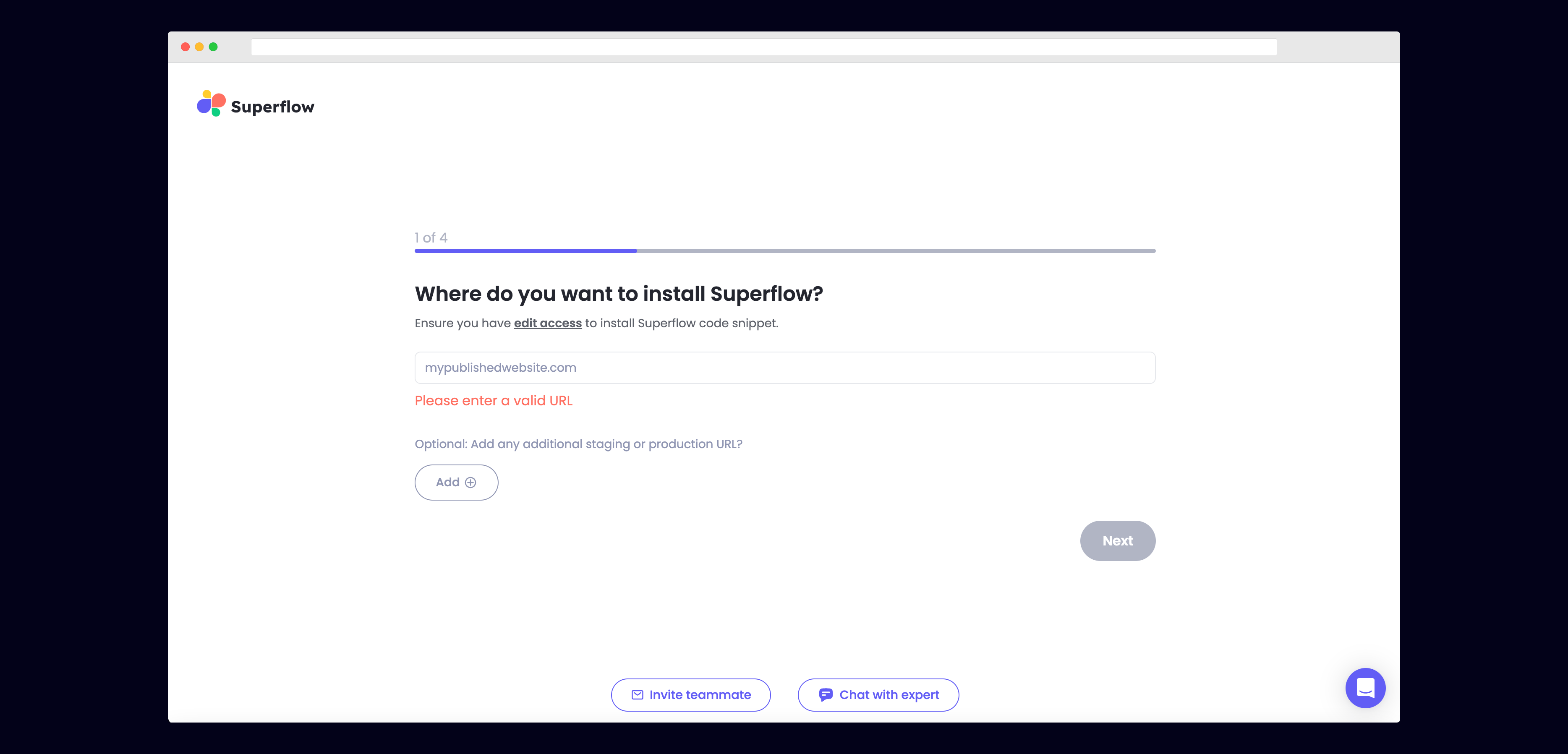
  <Step title="Enter Your Site URL">
    Enter the site URL you want Superflow to be installed in.

    <Frame>
      <img src="https://mintcdn.com/superflow-claude-superflow-portal-docs-78gpp8/_zKrRwh5L1PapanY/images/enter-url-final.png?fit=max&auto=format&n=_zKrRwh5L1PapanY&q=85&s=c8a09de8b3c9572c73e5651837dccab7" alt="Vue: Enter Your Site URL" width="3736" height="1797" data-path="images/enter-url-final.png" />
    </Frame>
  </Step>

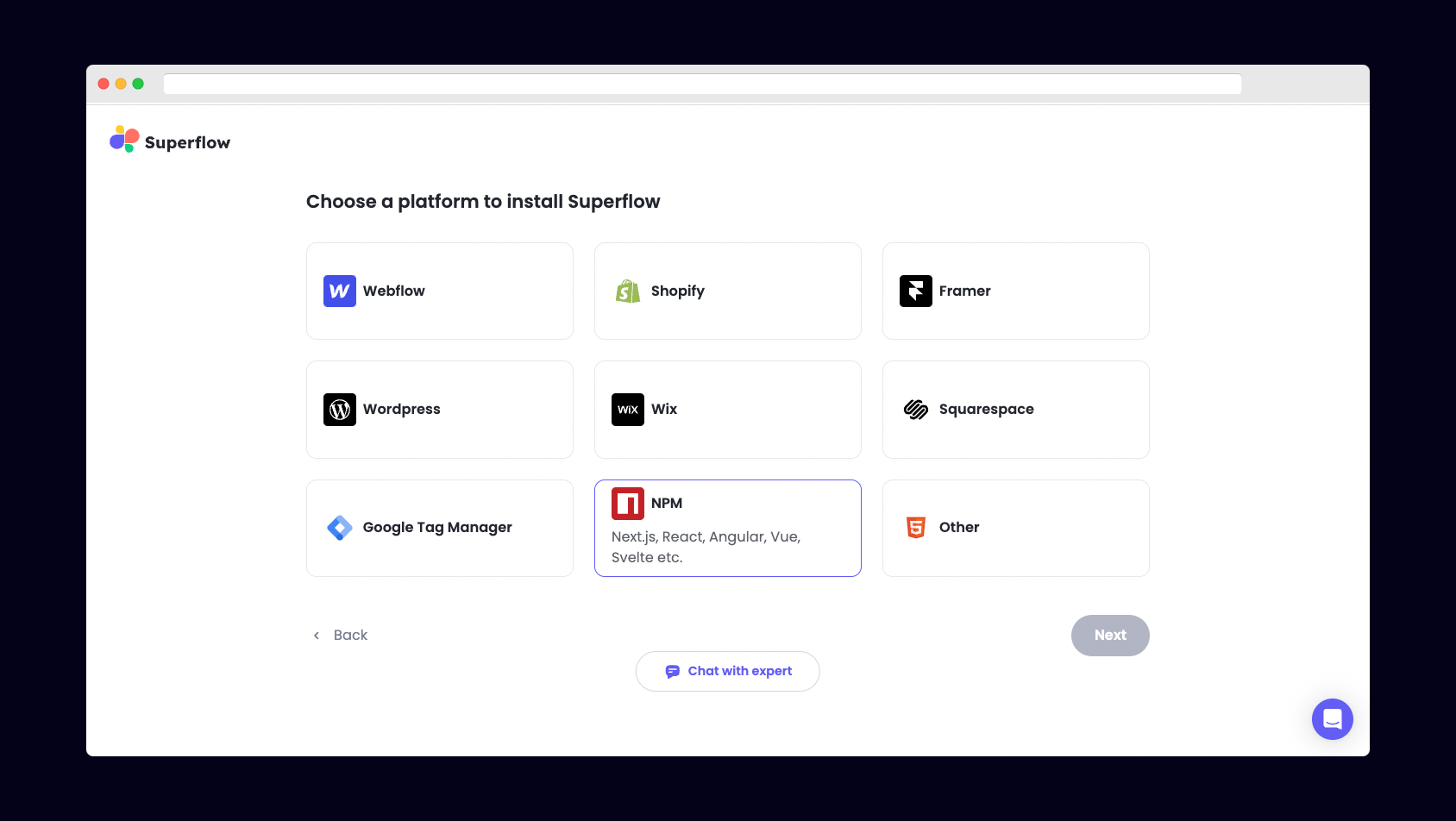
  <Step title="Select NPM from the list of Platforms">
    Choose NPM from the list of options to install Superflow with Vue.

    <Frame>
      <img src="https://mintcdn.com/superflow-claude-superflow-portal-docs-78gpp8/g2KY_MNTB5LdaNY9/images/select-npm-final.png?fit=max&auto=format&n=g2KY_MNTB5LdaNY9&q=85&s=56312e9bee9609b1b611b1c40673fb4f" alt="Vue: Select NPM from the list of Platforms" width="1688" height="952" data-path="images/select-npm-final.png" />
    </Frame>
  </Step>

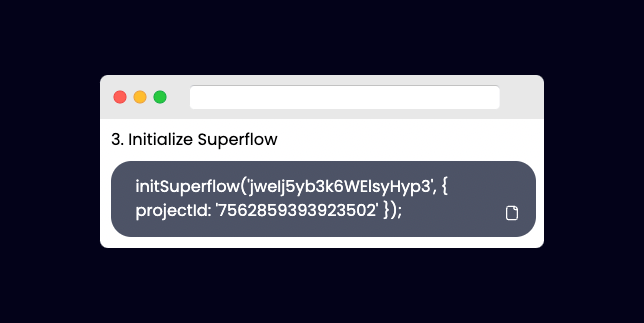
  <Step title="Copy your unique Superflow Code">
    Copy the code from the section "Initialize Superflow"

    <Frame>
      <img src="https://mintcdn.com/superflow-claude-superflow-portal-docs-78gpp8/_zKrRwh5L1PapanY/images/copy-npm-final.png?fit=max&auto=format&n=_zKrRwh5L1PapanY&q=85&s=463d003f11299826d8ad9bb1e93de781" alt="Vue: Copy your unique Superflow Code" width="644" height="323" data-path="images/copy-npm-final.png" />
    </Frame>
  </Step>

  <Step title="Install the Superflow NPM package">
    Install the Superflow NPM package with:

    ```
    npm i @usesuperflow/client
    ```
  </Step>

  <Step title="Import Superflow in main.js">
    Import the Superflow NPM package with:

    ```
    import { initSuperflow } from '@usesuperflow/client'
    ```
  </Step>

  <Step title="Initialize Superflow within main.js">
    Import `initSuperflow` from the NPM package and use it to initialize Superflow.

    Next, paste in the unique Superflow code you copied earlier before `app.use(router)`.

    ```js theme={null}
    import './assets/main.css'

    import { createApp } from 'vue'
    import App from './App.vue'
    import router from './router'
    import { initSuperflow } from '@usesuperflow/client'

    const app = createApp(App)

    //initialize Superflow
    initSuperflow('YOUR_API_KEY', {
        projectId: 'YOUR_PROJECT_ID'
    });

    app.use(router)

    app.mount('#app')

    ```
  </Step>

  <Step title="Deploy your app with your changes">
    Deploy your Vue app with your changes.
  </Step>

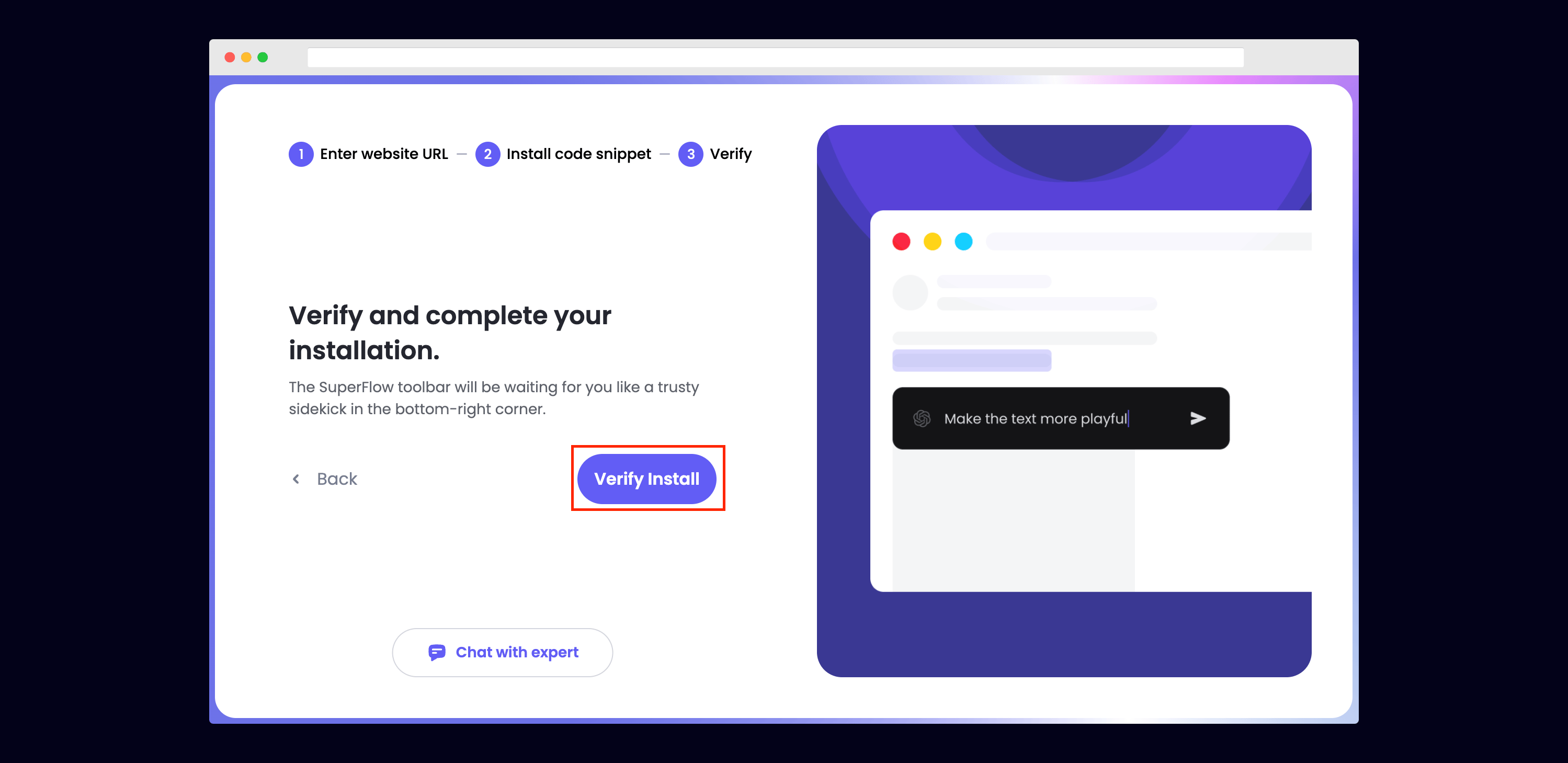
  <Step title="Verify your Installation">
    Verify your Superflow installation by clicking the Verify button on the onboarding flow.

    <Frame>
      <img src="https://mintcdn.com/superflow-claude-superflow-portal-docs-78gpp8/g2KY_MNTB5LdaNY9/images/verify-final.png?fit=max&auto=format&n=g2KY_MNTB5LdaNY9&q=85&s=bb7d8205964ce5188940907cb8260915" alt="Vue: Verify your Installation" width="2998" height="1459" data-path="images/verify-final.png" />
    </Frame>

    If successful, you should be redirected to your published Vue site and see the following success message:

    <Frame>
      <img src="https://mintcdn.com/superflow-claude-superflow-portal-docs-78gpp8/g2KY_MNTB5LdaNY9/images/verified-final.png?fit=max&auto=format&n=g2KY_MNTB5LdaNY9&q=85&s=67af7ec1dfe72bc2974e612b4734cb2d" alt="Vue: Verify your Installation" width="1366" height="1206" data-path="images/verified-final.png" />
    </Frame>
  </Step>

  <Step title="Troubleshooting">
    Having trouble getting your verifying your installation? Here are the common mistakes users encounter when installing Superflow:

    * Did you forget to save the Custom Code?
    * Did you forget to publish your site?
    * Is the browser still loading a cached version?
    * Did you add `?review=true` at the end of your url?
    * Did you publish your changes on a staging URL while you are trying to access a Prod URL?
    * Did you accidentally install multiple Superflow scripts in the Custom Code?
  </Step>

  <Step title="Navigate to your Vue site">
    Now that you have verified that Superflow has been installed on your Vue site, navigate to your published site and add `?review=true` at the end of the URL to enable Superflow.

    `Example: mywebsite.com/?review=true`
  </Step>

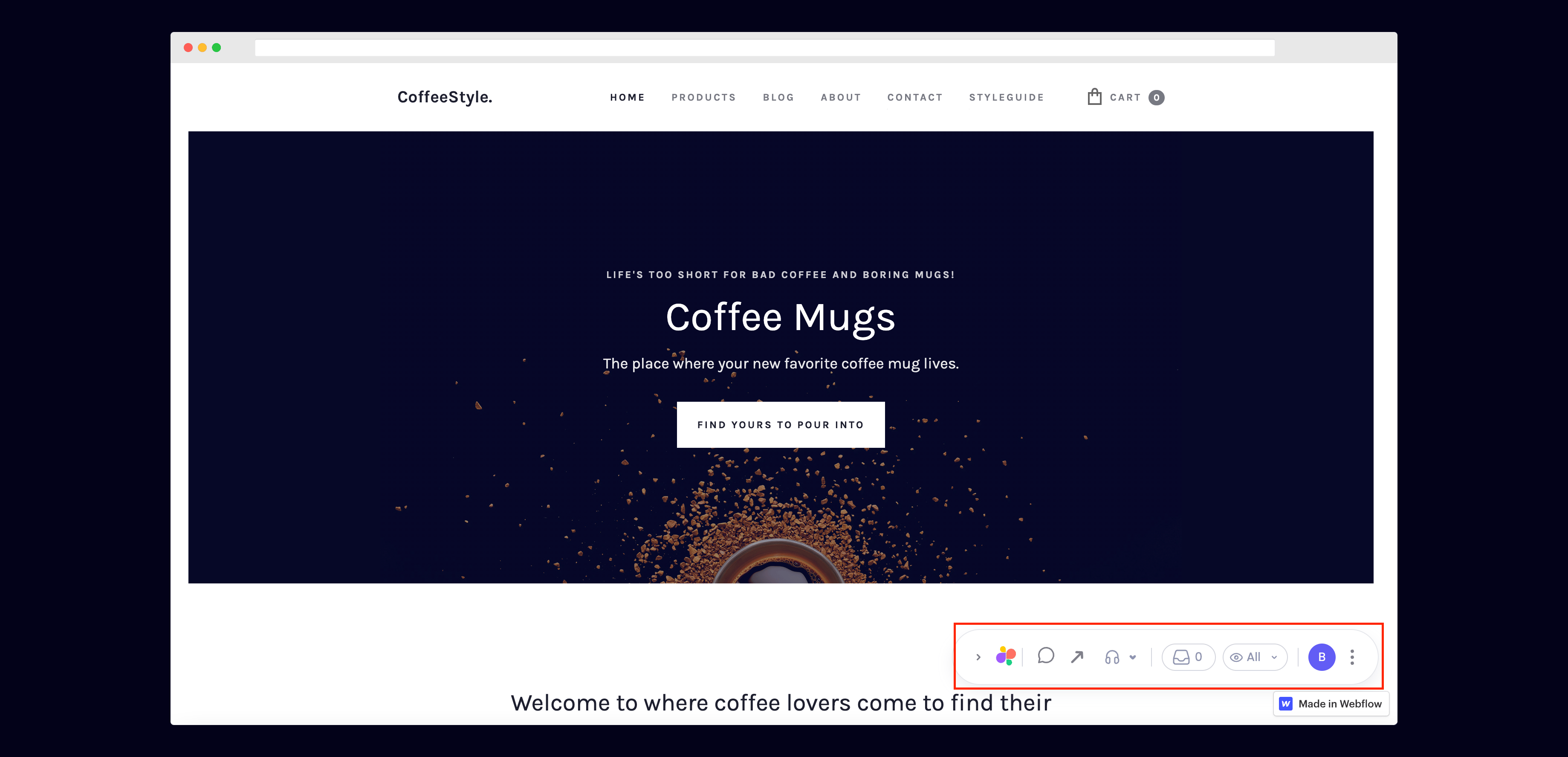
  <Step title="Test out Superflow">
    You should now see a Superflow toolbar on the bottom right of you screen.

    <Frame>
      <img src="https://mintcdn.com/superflow-claude-superflow-portal-docs-78gpp8/g2KY_MNTB5LdaNY9/images/toolbar-final.png?fit=max&auto=format&n=g2KY_MNTB5LdaNY9&q=85&s=b492072e934939d1335584a8efdeba6a" alt="Vue: Test out Superflow" width="3678" height="1775" data-path="images/toolbar-final.png" />
    </Frame>
  </Step>

  <Step title="Dropping your first comment">
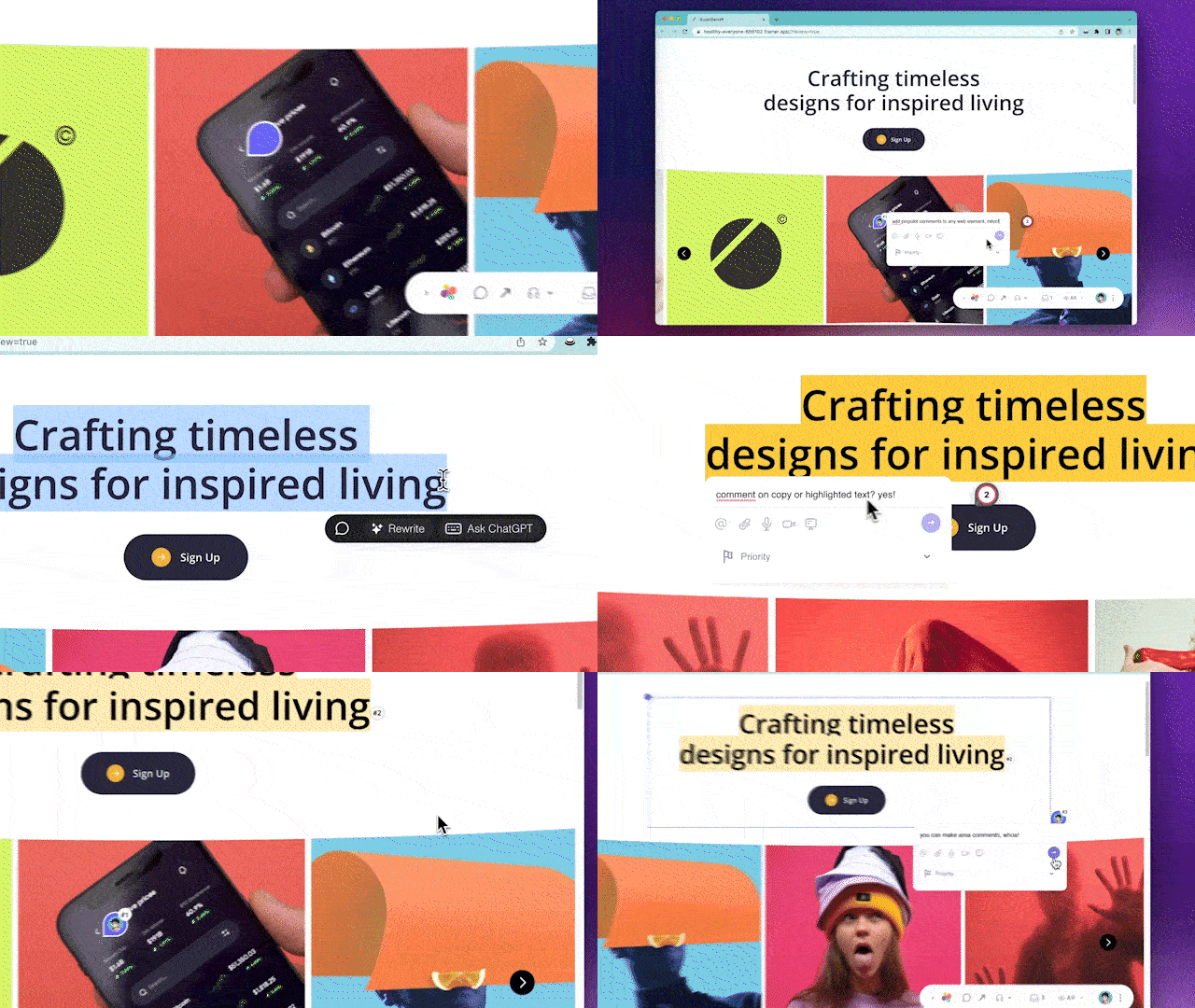
    Try leaving a comment on your page.

    You can leave a comment in several different ways:

    * By highlighting any text
    * By hovering over any element on the page
    * By drawing a box anywhere on the page

    You can also leave voice and screen recordings in your comments as well!
    <Frame>
      <img src="https://mintcdn.com/superflow-claude-superflow-portal-docs-78gpp8/_zKrRwh5L1PapanY/images/demo.gif?s=f8a9dd8577b5ee8929ed7dd7e34658fb" alt="Vue: Dropping your first comment" width="640" height="360" data-path="images/demo.gif" />
    </Frame>
  </Step>
</Steps>