> ## Documentation Index
> Fetch the complete documentation index at: https://superflow-claude-superflow-portal-docs-78gpp8.mintlify.site/llms.txt
> Use this file to discover all available pages before exploring further.
# Which Parts of the Site would I be able to Custom Brand?
> You can customize the branding of the Superflow Toolbar and the Portal.
You can customize the branding of the Superflow Toolbar and the Portal. Access the Superflow Dashboard by going to [app.usesuperflow.com](app.usesuperflow.com). Simply go to the Dashboard and update the **PREFERENCES**.
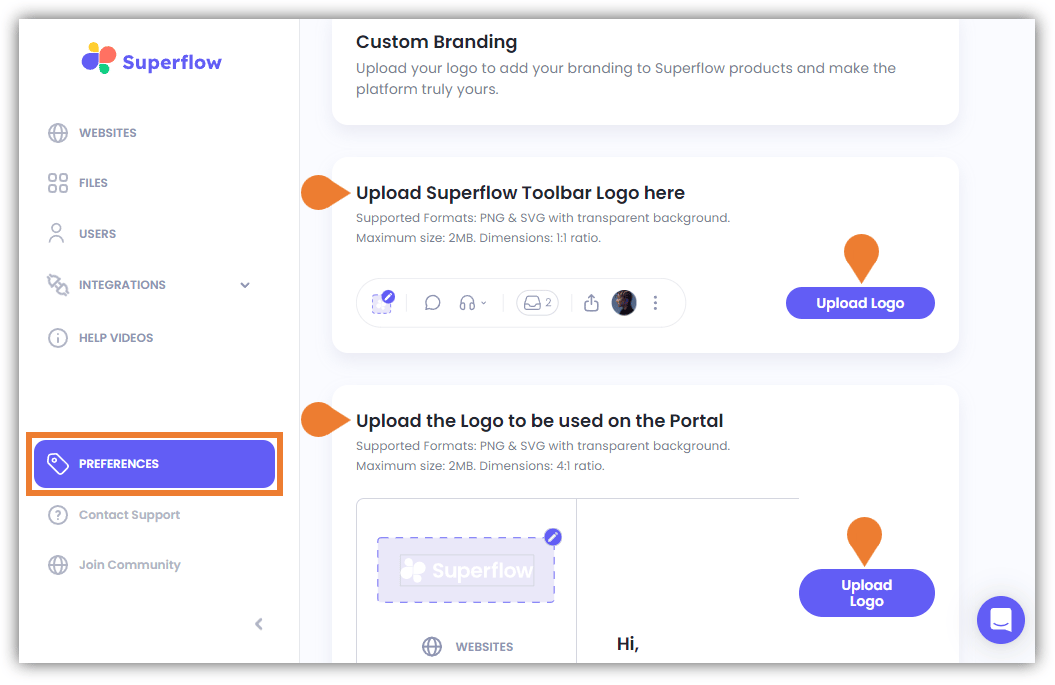 Find the Upload Superflow Toolbar Logo here and Upload the Logo to be used on the Portal sections and upload the logo for each section.