> ## Documentation Index
> Fetch the complete documentation index at: https://superflow-claude-superflow-portal-docs-78gpp8.mintlify.site/llms.txt
> Use this file to discover all available pages before exploring further.
# How to View the Project Dashboard
> Open the Superflow Dashboard, where Admins manage projects, agents, users and settings.
The Superflow Dashboard at [app.usesuperflow.com](https://app.usesuperflow.com) is where Team Users manage everything. You can open it directly, or from the toolbar's three-dot menu with **View project** while reviewing a site.
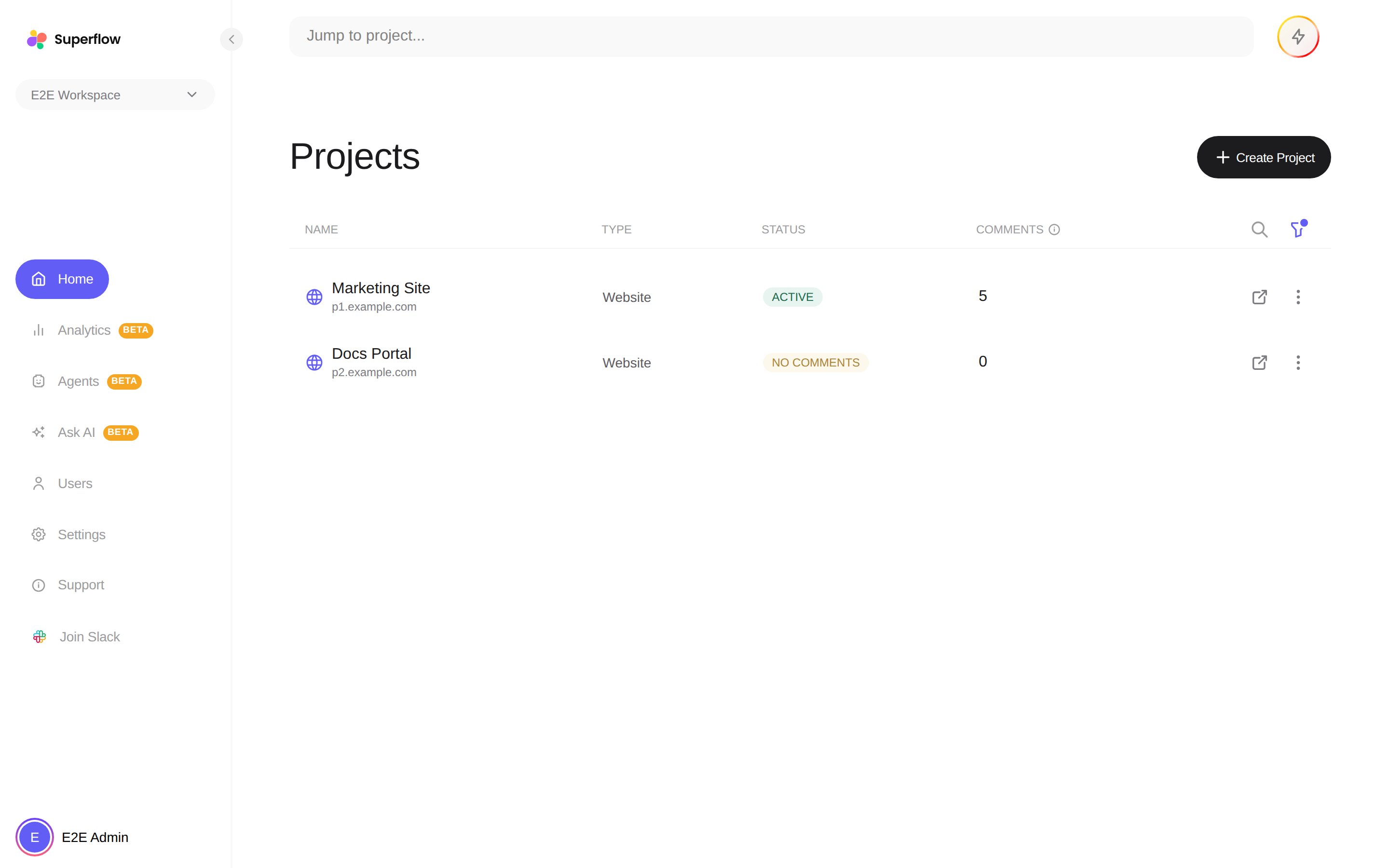 The left sidebar gives you:
| Section | What it holds |
| ------------- | ------------------------------------------------------------------------------------------------------------------ |
| **Home** | Every project, with status, comment counts, search and filters. |
| **Analytics** | Comment volume, resolution times and team activity. See [How to View Analytics](/dashboard/how-to-view-analytics). |
| **Agents** | Build and run [AI review agents](/agents/overview). |
| **Ask AI** | Chat with an assistant about your workspace. |
| **Users** | Invite and manage [Team Users and Guests](/product-features/user-roles-explained). |
| **Settings** | Profile, integrations, custom branding, advanced features and billing. |
| **Support** | Help resources, and **Join Slack** for the community. |
The dashboard requires a Team User (Admin) account. Guests review and comment on the live site instead.
The left sidebar gives you:
| Section | What it holds |
| ------------- | ------------------------------------------------------------------------------------------------------------------ |
| **Home** | Every project, with status, comment counts, search and filters. |
| **Analytics** | Comment volume, resolution times and team activity. See [How to View Analytics](/dashboard/how-to-view-analytics). |
| **Agents** | Build and run [AI review agents](/agents/overview). |
| **Ask AI** | Chat with an assistant about your workspace. |
| **Users** | Invite and manage [Team Users and Guests](/product-features/user-roles-explained). |
| **Settings** | Profile, integrations, custom branding, advanced features and billing. |
| **Support** | Help resources, and **Join Slack** for the community. |
The dashboard requires a Team User (Admin) account. Guests review and comment on the live site instead.