> ## Documentation Index
> Fetch the complete documentation index at: https://superflow-claude-superflow-portal-docs-78gpp8.mintlify.site/llms.txt
> Use this file to discover all available pages before exploring further.
# How to View Analytics
> Track comment volume, resolution times, busiest projects, and who is waiting on whom, from the Analytics page.
The **Analytics** page in the left sidebar shows how review work is flowing across your workspace: how much feedback is coming in, how fast it gets resolved, and where the bottlenecks are.
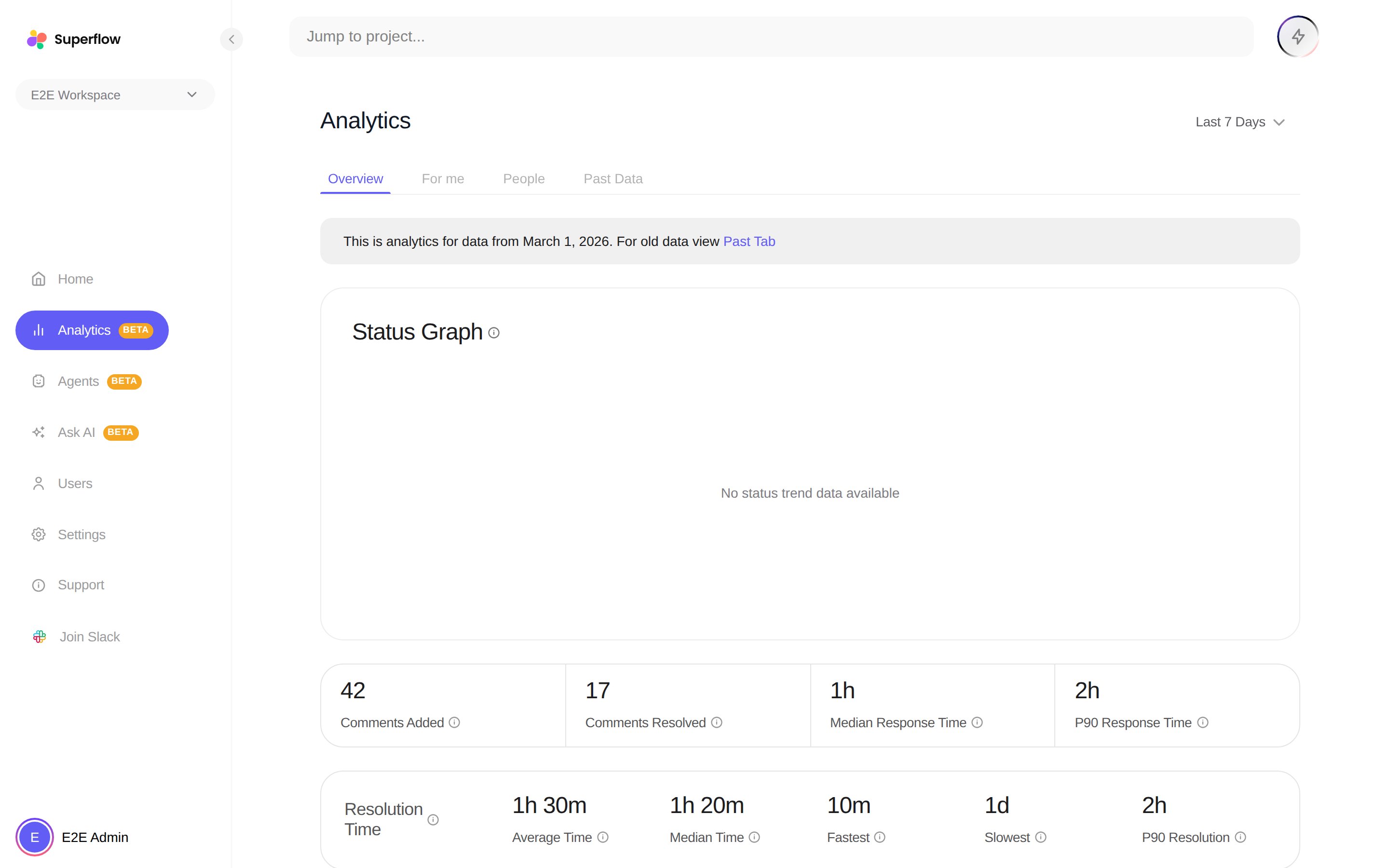 Analytics is currently in **Beta**. Use the lookback period dropdown in the header to change the date range for every tab except Past Data.
## The four tabs
A status trend chart over time, plus two stat cards: **Comment Stats** (comments added, comments resolved, median response time) and **Resolution Time** (average, median, fastest and slowest). **Top Projects by Tasks** ranks projects by open comments, with a link straight to each project's board.
**Top Projects by Pending Tasks** ranks the projects where you have open work, and **Awaiting your response** lists the comments waiting on you specifically.
**Pending Tasks** per person shows where feedback is piling up, and **Fastest Resolution Time** shows who resolves feedback quickest.
Data from before March 2026 lives on its own tab with comments and replies, median response time, top active projects, and active users for that period.
Use **Top Projects by Tasks** at the start of the week to decide where review effort goes. It is the fastest way to spot a project quietly accumulating unresolved feedback.
Analytics is currently in **Beta**. Use the lookback period dropdown in the header to change the date range for every tab except Past Data.
## The four tabs
A status trend chart over time, plus two stat cards: **Comment Stats** (comments added, comments resolved, median response time) and **Resolution Time** (average, median, fastest and slowest). **Top Projects by Tasks** ranks projects by open comments, with a link straight to each project's board.
**Top Projects by Pending Tasks** ranks the projects where you have open work, and **Awaiting your response** lists the comments waiting on you specifically.
**Pending Tasks** per person shows where feedback is piling up, and **Fastest Resolution Time** shows who resolves feedback quickest.
Data from before March 2026 lives on its own tab with comments and replies, median response time, top active projects, and active users for that period.
Use **Top Projects by Tasks** at the start of the week to decide where review effort goes. It is the fastest way to spot a project quietly accumulating unresolved feedback.