> ## Documentation Index
> Fetch the complete documentation index at: https://superflow-claude-superflow-portal-docs-78gpp8.mintlify.site/llms.txt
> Use this file to discover all available pages before exploring further.
# How to Use Webhooks
> Learn how to integrate Superflow with Webhooks.
Webhooks send comment and huddle activity from Superflow to your own endpoint in real time, so you can pipe it into Slack alternatives, Jira, Teams, or your own systems.
On the Superflow Dashboard, click **Settings** in the left sidebar, open the **Integrations** tab, and pick **WebHooks** from the list.
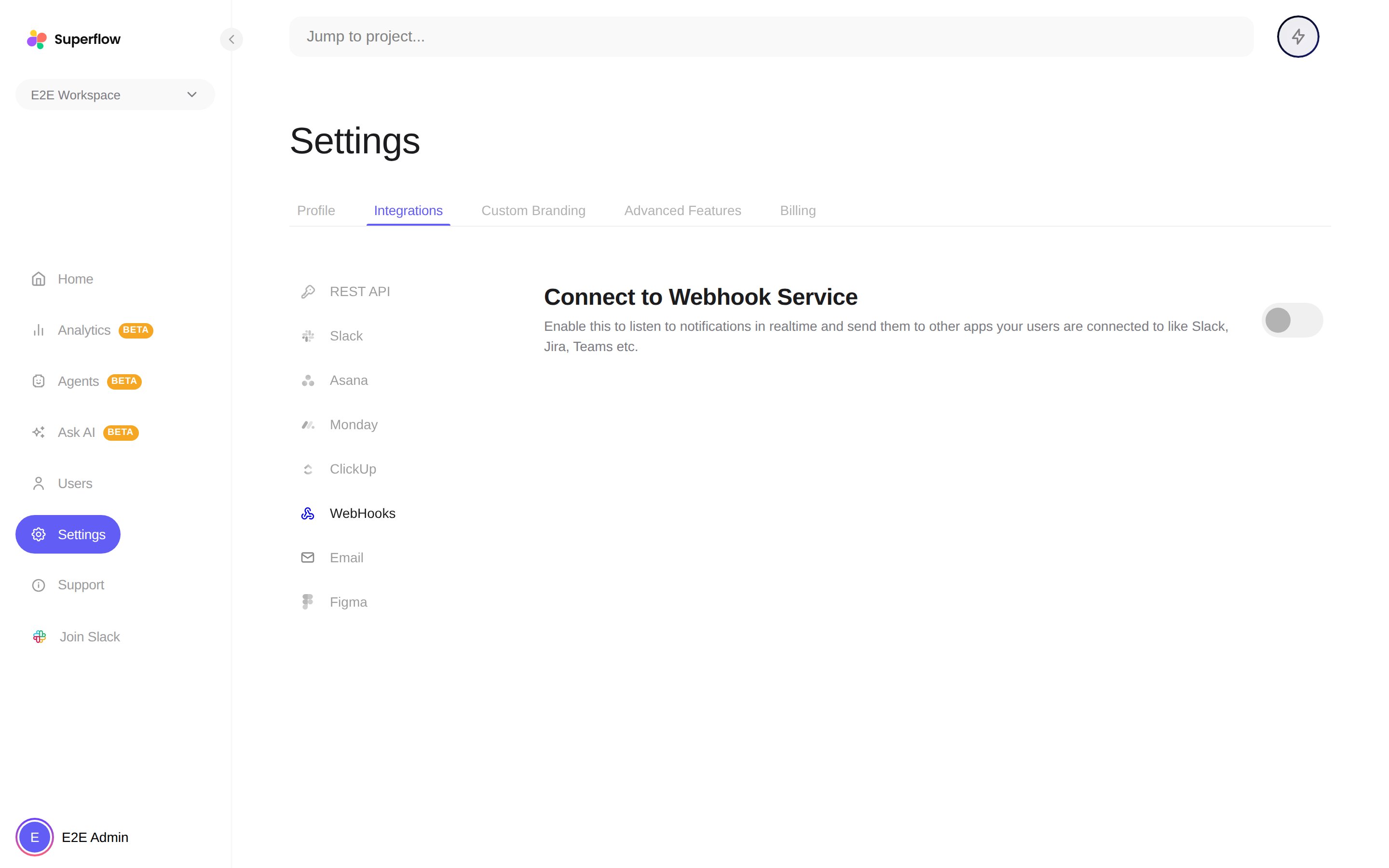 The configuration fields appear: your receiver URLs, an auth token, payload protection options, and per-event triggers. The reference below covers each one.
## Configuration reference
This section is for the developer receiving the webhooks.
### Endpoints
You can configure two receiver URLs, independently. Superflow sends a separate POST to each one you configure:
| URL | Payload |
| ------------------------------ | ---------------------------------------------------------------------------------------------------------------------------------------------------------------- |
| **Processed notification URL** | A notification-shaped payload: who did what, the comment text, page title and URL, status and priority changes, and ready-to-display headline and body messages. |
| **Raw notification URL** | The full event payload: the complete comment annotation, target comment, acting user, old and new status, and project metadata. |
Use the processed URL when you want to display or forward notifications, and the raw URL when you want to sync comment data into your own system.
### Authentication
If you set an **auth token** in the webhook configuration, every delivery carries it as a header:
```
Authorization: Basic
```
Verify this header on your receiver before trusting a delivery. Deliveries are sent immediately, once, with no retry, so your endpoint should accept quickly and process asynchronously.
### Events
Each event carries a `notificationSource` (such as `comment` or `huddle`) and an `actionType`. Comment events cover the full lifecycle: `newlyAdded`, `added` (replies), `updated`, `deleted`, `approved`, `assigned`, `statusChanged`, `priorityChanged`, `accepted`, `rejected`, reactions, and subscription changes. Huddle events cover `created` and `join`. You can switch individual triggers on and off in the webhook configuration; everything is on by default.
### Payload protection
Two optional transforms can be applied to the payload:
* **Encode data** sends the JSON payload as a base64 string instead of plain JSON.
* **Encrypt data** encrypts the payload with AES-256-CBC and wraps the AES key with the RSA **public key** you provide in the configuration. The delivery becomes `{ "encryptedData", "encryptedKey", "iv" }`, all base64. Decrypt the key with your private key (RSA-OAEP, SHA-256), then decrypt the data with AES-256-CBC using the key and `iv`.
If both are enabled, encryption wins. If you enable encryption without adding a public key, deliveries still arrive but cannot be decrypted, so add the key first.
The configuration fields appear: your receiver URLs, an auth token, payload protection options, and per-event triggers. The reference below covers each one.
## Configuration reference
This section is for the developer receiving the webhooks.
### Endpoints
You can configure two receiver URLs, independently. Superflow sends a separate POST to each one you configure:
| URL | Payload |
| ------------------------------ | ---------------------------------------------------------------------------------------------------------------------------------------------------------------- |
| **Processed notification URL** | A notification-shaped payload: who did what, the comment text, page title and URL, status and priority changes, and ready-to-display headline and body messages. |
| **Raw notification URL** | The full event payload: the complete comment annotation, target comment, acting user, old and new status, and project metadata. |
Use the processed URL when you want to display or forward notifications, and the raw URL when you want to sync comment data into your own system.
### Authentication
If you set an **auth token** in the webhook configuration, every delivery carries it as a header:
```
Authorization: Basic
```
Verify this header on your receiver before trusting a delivery. Deliveries are sent immediately, once, with no retry, so your endpoint should accept quickly and process asynchronously.
### Events
Each event carries a `notificationSource` (such as `comment` or `huddle`) and an `actionType`. Comment events cover the full lifecycle: `newlyAdded`, `added` (replies), `updated`, `deleted`, `approved`, `assigned`, `statusChanged`, `priorityChanged`, `accepted`, `rejected`, reactions, and subscription changes. Huddle events cover `created` and `join`. You can switch individual triggers on and off in the webhook configuration; everything is on by default.
### Payload protection
Two optional transforms can be applied to the payload:
* **Encode data** sends the JSON payload as a base64 string instead of plain JSON.
* **Encrypt data** encrypts the payload with AES-256-CBC and wraps the AES key with the RSA **public key** you provide in the configuration. The delivery becomes `{ "encryptedData", "encryptedKey", "iv" }`, all base64. Decrypt the key with your private key (RSA-OAEP, SHA-256), then decrypt the data with AES-256-CBC using the key and `iv`.
If both are enabled, encryption wins. If you enable encryption without adding a public key, deliveries still arrive but cannot be decrypted, so add the key first.